BabyNest — Baby Routine & Development Record
When feeding notes, sleep times, diaper records, growth measurements and questions for the next appointment are scattered across messages and memory, BabyNest keeps the working record together — privately, in one local file — and turns those entries into clear descriptive routine views.
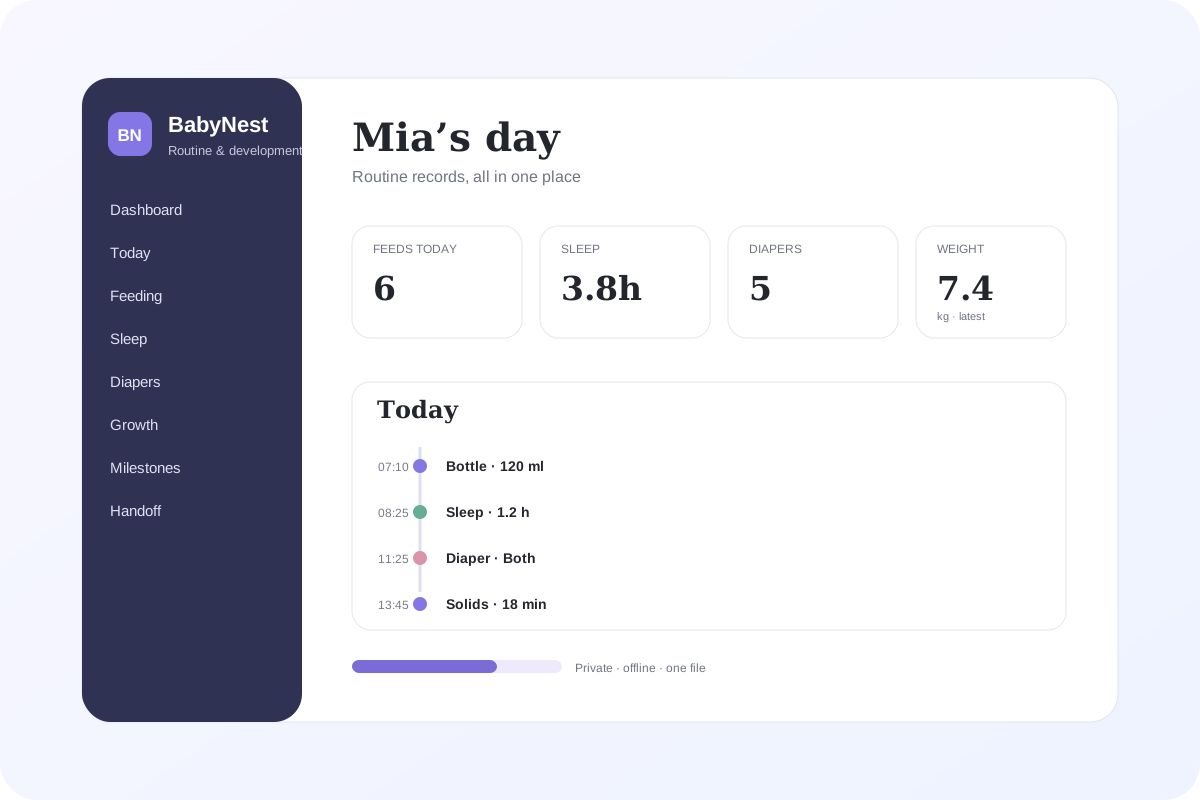
Use BabyNest for the routine that changes every day.
BabyNest is for timestamped day-to-day records, timers, descriptive analytics, caregiver handoffs, appointments, notes and backups. It is designed to answer “what happened and when?” without requiring an account or subscription.
Want memories, prompts and first-year pages instead?
The existing Bump to Baby printable journal is the better fit when the goal is a keepsake spanning pregnancy and the first year rather than an operational routine log.
From quick logging to a readable picture of the day
BabyNest deliberately stays in the recordkeeping lane. Its analytics summarize only what you entered: sleep duration, recorded bottle volume, diaper entries, event timing and user-entered growth history. It does not tell you whether any pattern is “normal.”
Fast feeding records + feeding timer
Log breast, bottle, solids or other feeds with time, amount, duration, side or source and notes. US units are the default: fl oz for bottle volume, with metric available in Settings. A feeding timer and Repeat last feed reduce repeated typing.
Sleep records + live sleep timer
Keep naps and sleep periods as timestamped records, or start a sleep timer and use Wake & save when the period ends. BabyNest calculates duration only from the times you record.
Simple diaper log
Record wet, dirty, both or another label with a time and note so routine handoffs do not depend on memory.
7 / 30 / 90 day routine analytics
Review descriptive sleep, bottle-volume and diaper trends across 7, 30 or 90 days. Every chart names its unit and includes an info explanation.
24-hour routine map
See today on a midnight-to-midnight timeline with sleep blocks plus feeding and diaper events, making the order and spacing of recorded events easier to scan.
Routine frequency heatmap
See which hours contain the most recorded feeding, sleep starts and diaper entries across the selected period. It describes your records and does not recommend a schedule.
Growth history without interpretation
Store and chart user-entered weight, length or height and head circumference. US defaults are lb and in; metric is optional. BabyNest does not calculate percentiles or judge growth.
Free-form milestones
Save your own dated observations across movement, communication, play, social or other categories without age targets, scoring or delay assessment.
Appointments and questions
Keep upcoming dates, provider or place, reason, questions to remember, status and outcome notes beside the rest of the record.
Caregiver handoff
Generate a compact summary of today and the last 24 hours, including logged feeding, sleep, diapers, the latest note and the next appointment.
Quick note and one-tap repeat
Add a note directly from Quick Log and repeat the most recent feed at the current time when the details are the same.
Reports, CSV and print
Print the active view, analytics or handoff page and export feeding, sleep and growth tables as CSV for your own records.
Trash, recovery and backups
Normal deletes go to Trash first. Permanent erase requires typed confirmation, destructive actions create local recovery snapshots, and full JSON backup/restore protects the workspace.
Reversible sample data
Load a realistic multi-day sample routine so the charts and workflows are visible immediately, then remove it and return to the exact workspace that existed before sample mode.
How it works
- Add the baby name and date of birth. US units are preselected; switch to metric in Settings if you prefer.
- Use Quick Log, Sleep timer, Feeding timer, Repeat last feed or Quick note as the day happens.
- Keep growth measurements, milestones, appointments and free-form notes as dated records.
- Open Analytics and switch between 7, 30 and 90 days to review descriptive trends, the 24-hour map and routine heatmap.
- Open Caregiver handoff when another person needs the latest routine summary.
- Print or export CSV when you want a portable record outside the app.
- Download a JSON backup regularly and keep it somewhere separate from the browser profile.
Local-first privacy, with the trade-off explained clearly
BabyNest runs from the HTML file you download and stores working records locally in the browser profile on that device. There is no required GentleTools account and no required cloud database. That also means GentleTools is not keeping a recovery copy for you, so regular JSON backups matter.
Ready to keep the daily record in one place?
One-time purchase, yours to keep. No required subscription.
Get BabyNest for 4.99 →Read Baby routine tracker app vs spreadsheet or browse Home, Family & Travel apps.
Questions before buying? Get in touch — or see the FAQ for refunds and delivery.
Important: BabyNest is a personal recordkeeping tool, not medical advice, diagnosis, monitoring or an emergency service. It does not determine feeding needs, sleep safety, growth percentiles, developmental status, medication doses or when care is required. Analytics are descriptive summaries of user-entered records only. For medical or safety decisions, use current guidance from an appropriate qualified source.