GarageNest — keep every vehicle record in one place
Service history, editable reminders, fuel records, repairs, tires, inspection and insurance dates for one vehicle or several. The app organizes the information you enter; it does not decide what maintenance or safety work a vehicle requires.
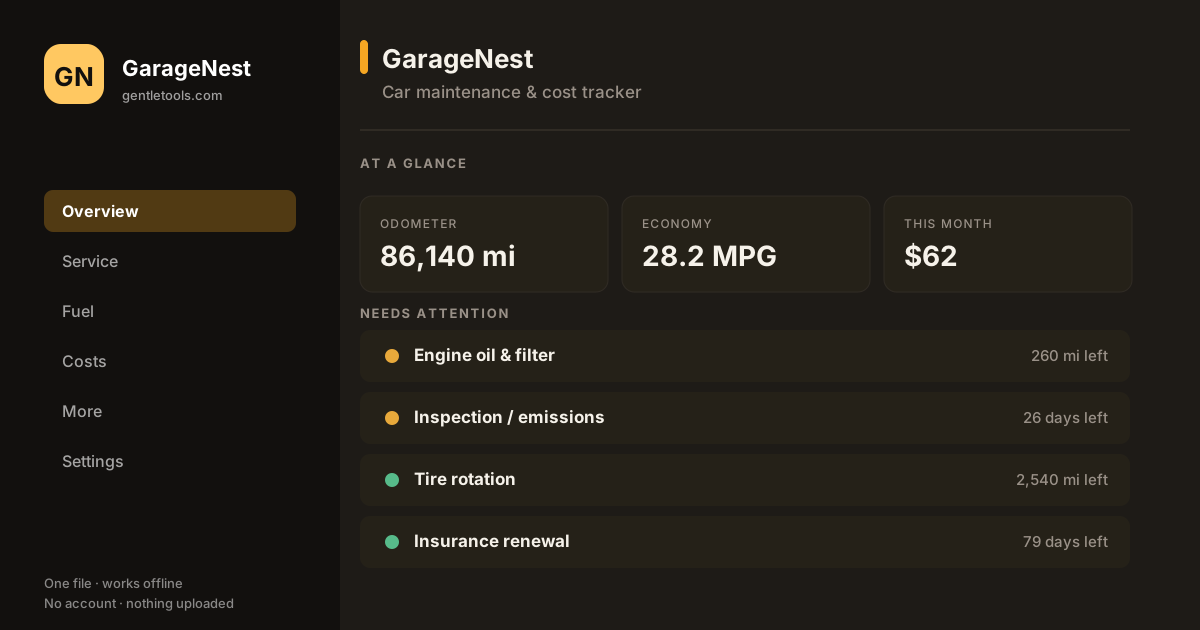
Reminders should follow the vehicle, not a generic average
GarageNest includes common service categories so you do not have to build the structure from scratch. The mileage and month intervals in the file are planning defaults and can be overridden per vehicle. Replace them with the schedule that applies to the actual make, model, engine, component, use pattern and conditions you are maintaining.
A reminder marked due or overdue means the interval currently stored in GarageNest has been reached. It does not mean the manufacturer, a mechanic, an inspector or a regulator has determined that the vehicle is unsafe or out of compliance.
Editable maintenance reminders
Start with common service categories, then set or override the mileage and month interval for each vehicle. Reminder status is based on the interval in your file, not a manufacturer or mechanic determination.
Fuel-economy record
Log odometer and fill-up information and calculate economy between full tanks, with unit conversion for miles/gallons or kilometers/liters.
Ownership-cost ledger
Keep user-entered parts, repairs, insurance, registration, tires, fuel and other costs together and review totals over time.
Renewal date reminders
Enter inspection, emissions, insurance, registration or other dates you want to remember. GarageNest counts down from the dates you enter; it does not determine the legal renewal date.
Miles or kilometers
Switch the display between US and metric units without rewriting the underlying saved records.
Tires, parts and shops
Keep tread-depth observations, tire age, part numbers, warranty dates and mechanic contact notes together as a record. The app does not determine tire safety or roadworthiness.
Print and export
Print screens or export tables and a JSON backup so your service and cost history is not locked to one view.
Local-first record
One HTML file with no required GentleTools account or cloud server for the working record. Keep independent backups.
Start free if you only need one schedule
The free Car Maintenance Schedule Builder is the smaller path for one vehicle. For a cost view, read What a Mile in Your Car Actually Costs. GarageNest becomes useful when several vehicles, service history, parts, fuel and renewal-date references need to remain connected.
How it works
- Buy and download instantly — no account needed.
- Open the file in a supported browser and add the vehicle information you want to track.
- Review the reminder intervals and replace them with the current schedule for that vehicle where needed.
- Log service, fuel and costs as they occur and enter renewal dates from the relevant official documents.
- Export a JSON backup regularly or print a record when you need a durable copy.
Recordkeeping only — not a roadworthiness or maintenance authority
GarageNest does not inspect a vehicle, diagnose faults, evaluate tire or brake safety, determine roadworthiness, set a legal inspection or registration deadline, or replace manufacturer service information, recall notices, official inspection requirements or qualified mechanical advice. Maintenance needs can vary substantially by vehicle, component, environment and use. Verify safety-critical work and official deadlines with the relevant current source.
Need the connected garage record?
One-time purchase, yours to keep. Load the sample garage first if you want to explore the workflow before entering your own records.
Buy for $4.99 (50% off) →Questions before buying? Get in touch — or see the FAQ.