GardenNest — Garden & Plant Manager
Keep the physical garden and the season record in the same place. GardenNest connects your bed layout, plantings, seeds, care tasks, journal notes, harvests and storage so you can see what grew where and carry useful history into the next season.
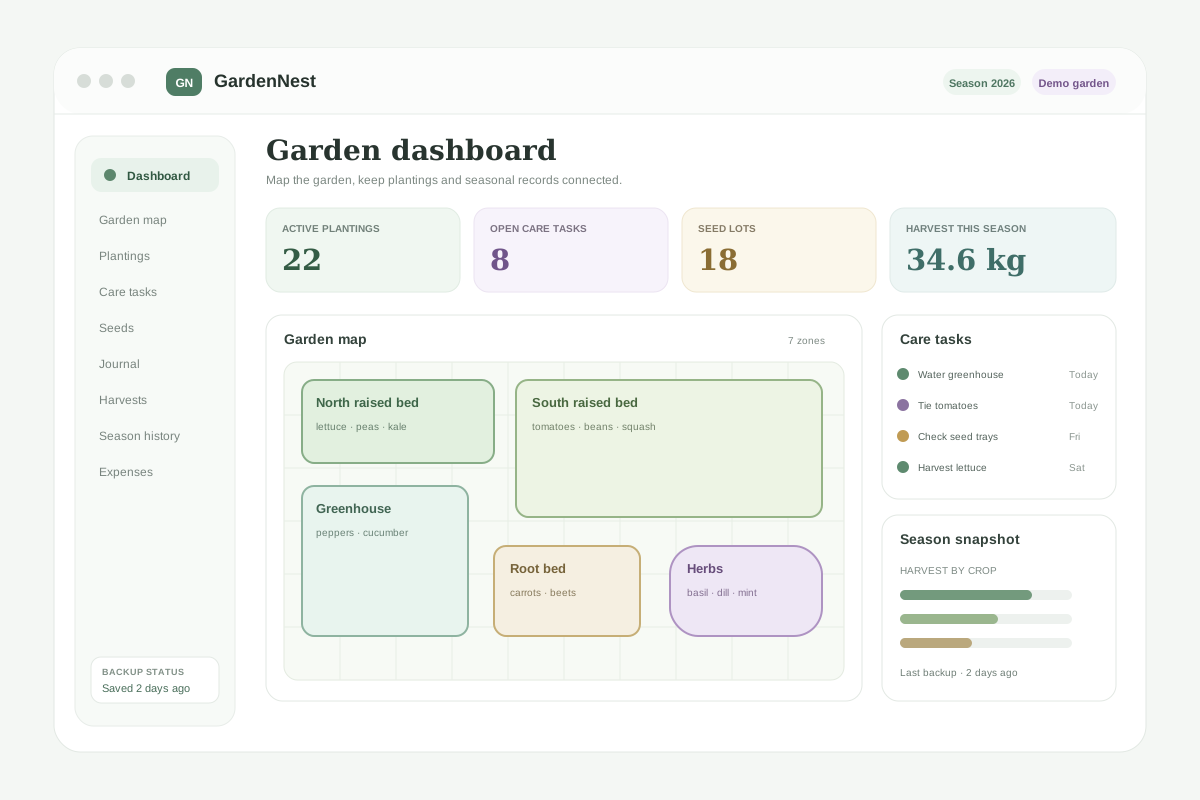
See the garden layout and the season record together
A notebook can hold planting dates and a spreadsheet can hold lists, but they become awkward when the bed, planting, seed lot, task, journal note and harvest all need to refer to the same place. GardenNest keeps those records connected without requiring an account or monthly service.
Drag-and-drop garden map
Build a visual 12-column layout, drag beds and growing zones into place, resize them, snap to the grid, lock positions and use undo/redo while editing.
Beds, zones & plantings
Keep raised beds, greenhouse areas, containers and perennial zones connected to the crops and varieties growing there this season.
Seed inventory
Track crop, variety, supplier, lot, year, packet quantity, opened date, your own germination tests and low-stock thresholds.
Care tasks
Create one-off or repeating watering, feeding, weeding, training, sowing, checking and harvest tasks from schedules you enter.
Plant journal
Keep dated observations for transplanting, flowering, first harvest, pruning, pest observations, weather notes, failures and anything else worth remembering.
Harvest & storage
Record harvest quantities, review totals by crop or zone, and log frozen, canned, dried, fermented or stored batches.
Season archive & crop history
Archive a finished season, start a new one without losing the garden layout, and see when the same crop appeared in the same-named zone before.
Expenses
Separate seasonal consumables from long-term equipment and keep a simple garden spending record in USD, EUR, GBP, CAD or AUD.
Reports, Trash & backups
Print clean planting, task, seed, harvest, storage and expense tables, export CSV, restore normal deletes from Trash and keep JSON backups.
How it works
- Open the single HTML app and build the garden map with beds, greenhouse areas, containers and other zones.
- Add crops and varieties to the zones where they are actually growing.
- Keep your own care tasks, seed lots and dated observations beside the planting record.
- Log harvests and stored batches as the season progresses.
- Archive the season, start the next one and use prior crop placement as a recordkeeping reference.
- Export a JSON backup and keep a copy somewhere separate from the browser profile.
Local-first, with the trade-off explained clearly
GardenNest runs from the HTML file you download and stores working records locally in the browser profile on your device. There is no required GentleTools account and no required cloud database. That also means we are not holding a recovery copy for you, so regular JSON backups matter if the records are important.
Ready to organize the whole garden season?
One-time purchase, yours to keep. No required subscription.
Buy for $4.99 (50% off) →Want context first? Read Garden planner app vs spreadsheetor browse the Home, Family & Travel apps.
Questions before buying? Get in touch — or see the FAQ for refunds and delivery.
GardenNest is a record-keeping tool, not agronomic or chemical-use advice. It does not determine safe pesticide use, fertilizer rates, irrigation requirements, disease diagnosis, planting dates or harvest safety. Follow current product labels and appropriate local or qualified guidance for safety-critical decisions.