HomeschoolNest — Homeschool Record Keeping
Keep attendance, hours, courses, grades, reading, portfolio notes and transcript drafts together in one local file. You enter the targets and requirements you have verified for your own situation; HomeschoolNest organizes the record but does not decide what the law or a recipient requires.
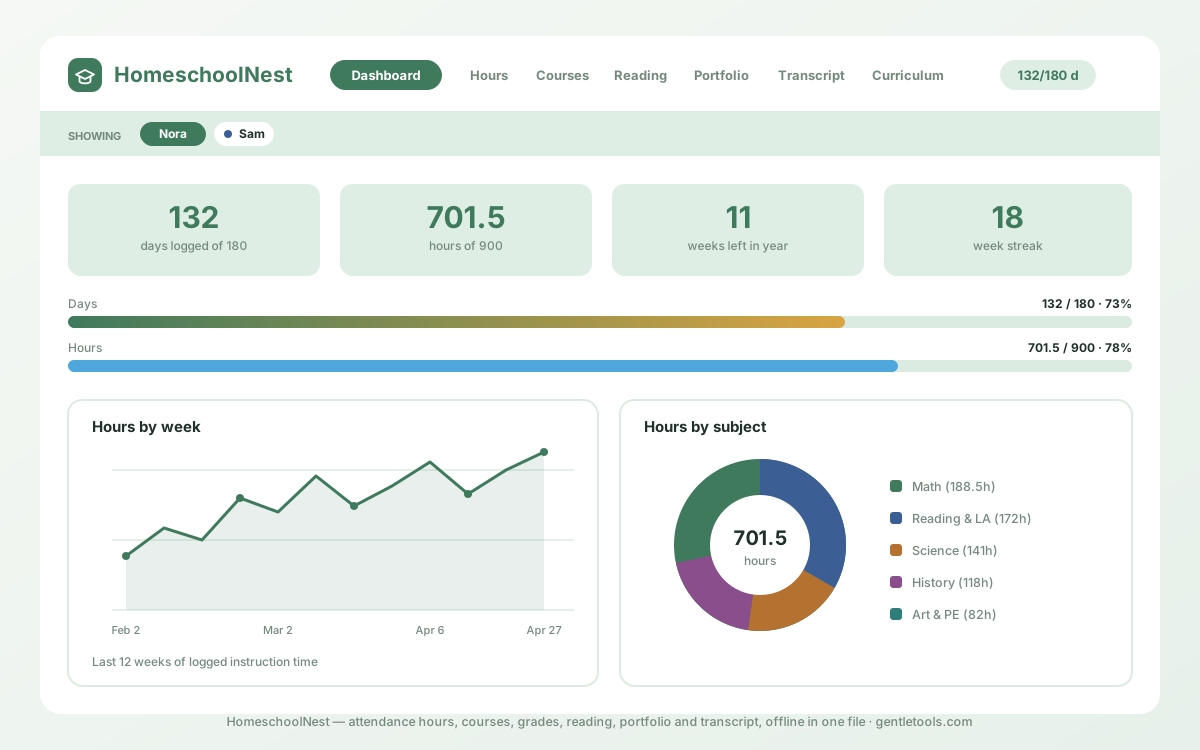
Why use a connected homeschool record?
A spreadsheet can handle attendance, and a document can hold a transcript. HomeschoolNest becomes useful when the same school year also has courses, grades, reading, portfolio entries, outside classes and several years of history that should remain connected.
The working record stays on the browser and device you use. There is no required GentleTools account or automatic sync. That is a good fit for one main record keeper; if several people need live shared editing or institution-managed records, a cloud or school system may fit better.
Dashboard & pace check
Compare logged days and hours with the targets you entered, see a simple projection, and keep your own checklist dates visible. The app does not supply legal requirements or deadlines.
Hours & attendance
Log a day with subject-level hours or use the calendar, then review weekly and monthly totals from the entries you made.
Weekly plan vs reality
Plan the week, mark completed work and carry unfinished items forward, with planned hours beside the hours you actually logged.
Courses, grades & weights
Keep courses, credits, curriculum, level and assignments together, with optional user-defined category weights and calculated grade summaries.
Semesters and terms
Split the year into semesters or trimesters and filter grades, report summaries and printed records by the term you created.
Reading log & portfolio
Keep books, dated work samples, field trips, clubs and service records together for your own portfolio history.
Transcript builder
Create a user-entered high-school transcript draft from courses, credits and grades across years, with a grading scale and signature line. Verify recipient requirements separately.
Tests & outside classes
Record test results and outside classes from source information you choose to enter, including provider, hours and tuition notes.
Every school year in one file
Keep multiple years together, copy course lists forward and build a longer record without starting from a new spreadsheet each year.
Your own requirements checklist
Enter the requirements you verified from an official or qualified source, record the source and date checked, and add your own reminder dates. The app does not interpret homeschool law.
Year-end record packet
Print a summary of the hours, courses, tests, reading, portfolio and attendance records you entered for the selected year.
Import, print and export
Bring a prior spreadsheet year in by CSV, then print or save standalone HTML reports from the app.
Layers against accidental loss
Undo, recently deleted records, local snapshots and confirmation steps reduce accidental deletion inside the file.
Manual and quick start
The download includes a detailed PDF manual with screenshots plus a shorter printable quick-start guide.
Local-first file
One HTML file with no required GentleTools account or monthly subscription. Keep independent backups because there is no automatic cloud recovery.
Use your own verified requirements
Homeschool rules, reporting processes and record expectations depend on location and can change. HomeschoolNest therefore asks you to enter the days, hours, checklist items and source notes you have verified rather than supplying a universal legal rule. A progress bar or reminder inside the app reflects those entries only; it is not a compliance determination or legal deadline calculation.
The same applies to transcript and portfolio outputs. They are organized drafts based on the records you entered. Colleges, umbrella schools, districts, reviewers or other recipients may have their own current format, signature, course-description, testing or documentation requirements.
Start free before you buy
The free Homeschool Hours & Attendance Log is enough when you only need a focused attendance record for one year. ReadHomeschool Record Keeping: What to Keepfor the broader recordkeeping model. If you want to test the full workflow, open theHomeschoolNest trial before purchasing.
How it works
- Open the free trial or buy and download the full file — no required account either way.
- Open the HTML file in a supported browser.
- Add students, subjects and only the requirement targets you have verified for the relevant year.
- Keep the record current and export independent backups regularly.
- Before submitting any report or transcript, verify the current requirements of the intended recipient.
The download includes the app, a detailed PDF manual and a shorter quick-start guide. Sample data can be loaded to explore the workflow and cleared before you enter your own records.
Need the connected multi-year record?
One-time $4.99, yours to keep, with free updates included.
Buy for $4.99 (50% off) →Open the free trial →Questions before buying? Get in touch — or see theFAQ for refunds and delivery.