HoopNest — every stat, every game, no subscription
Explore the real app interface in a free browser preview. Buy only when you're ready to keep your full offline HTML file. No subscription.
A calm, offline stat tracker for basketball coaches, players, and parents. Coach the whole team, or sit in the stands and follow one child — HoopNest does both. Everything is saved on your own device: nothing sent to a server, nothing to renew.
Instant download after checkout · secure payment via Stripe · works offline once saved
Read the guide before you decide
Both manuals are free — no email, no purchase. Skim one and you will know within a minute whether HoopNest is the tool you want on the sideline.
See it in action
For the parent in the stands
Switch to one-player mode and the app gets out of the way. No team scoreboard, no other children's numbers — just your own, with an on-court switch that counts the minutes they actually played. Type the final score in afterwards if you want it remembered. Two kids in two different teams? Give each a profile, then put their seasons side by side.
Most basketball stat apps charge a monthly subscription — $7 to $50 a month, forever. HoopNest is a one-time $9.99. Try the free trial first: it records your first 5 games with every feature unlocked, so you know exactly what you're getting before you buy.
What's inside
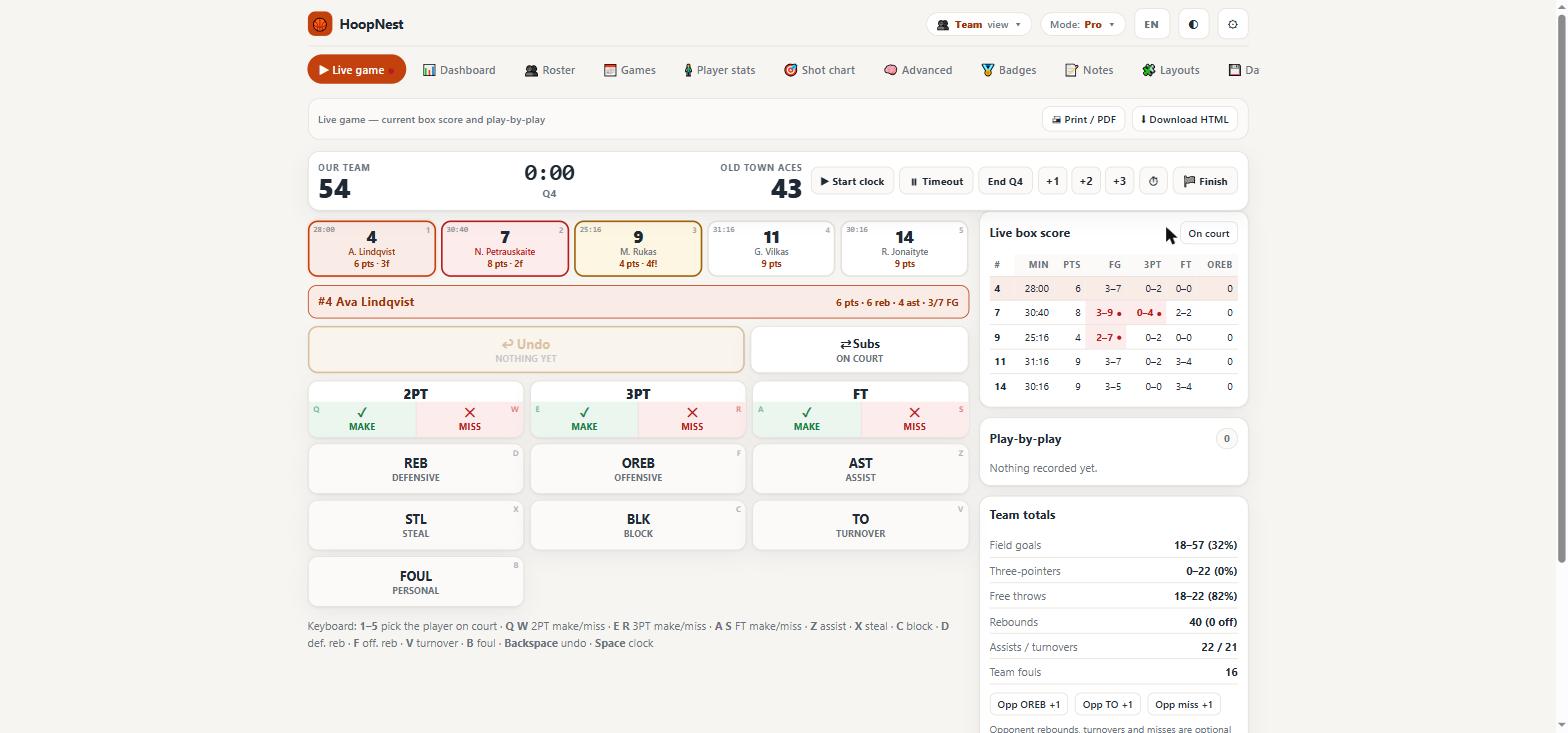
Live game tracker
Tap stats in real time — points, rebounds, assists, steals, blocks, turnovers, fouls — with a game clock that keeps running even through timeouts.
Parent mode — one player
Follow one child and nothing else. No team score, no other names, no substitutions to manage: their stats, their minutes, their game.
A profile per child
More than one kid, in different teams? Each gets their own profile with its own roster and season — and a side-by-side view to compare them.
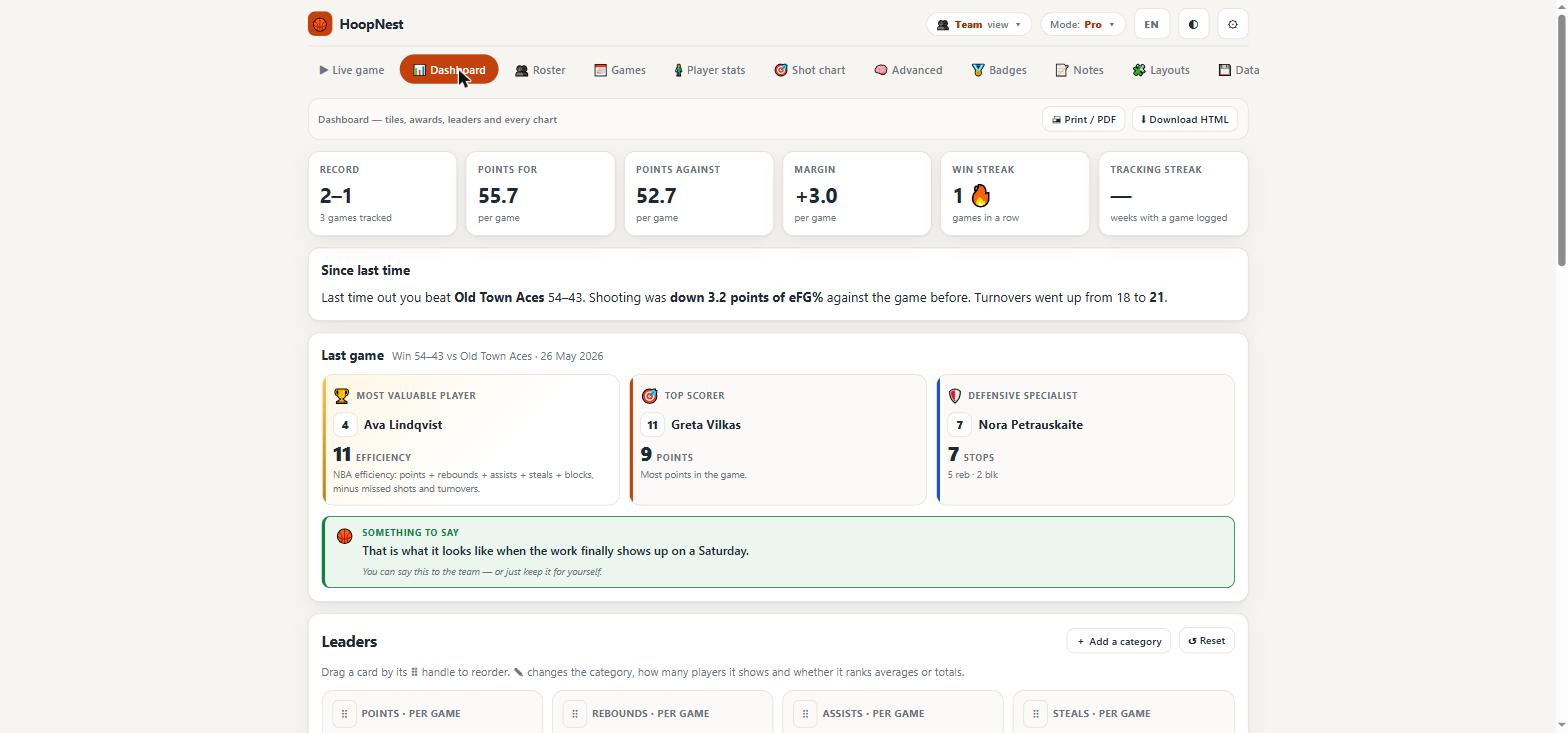
Dashboard
The full box score at a glance: shooting splits, offensive/defensive rebounds, minutes and +/− for the whole team.
Roster
Add, edit and reorder players once — every game, chart and export pulls from the same roster.
Games
Every game you have recorded, searchable and ready to reopen, print or export.
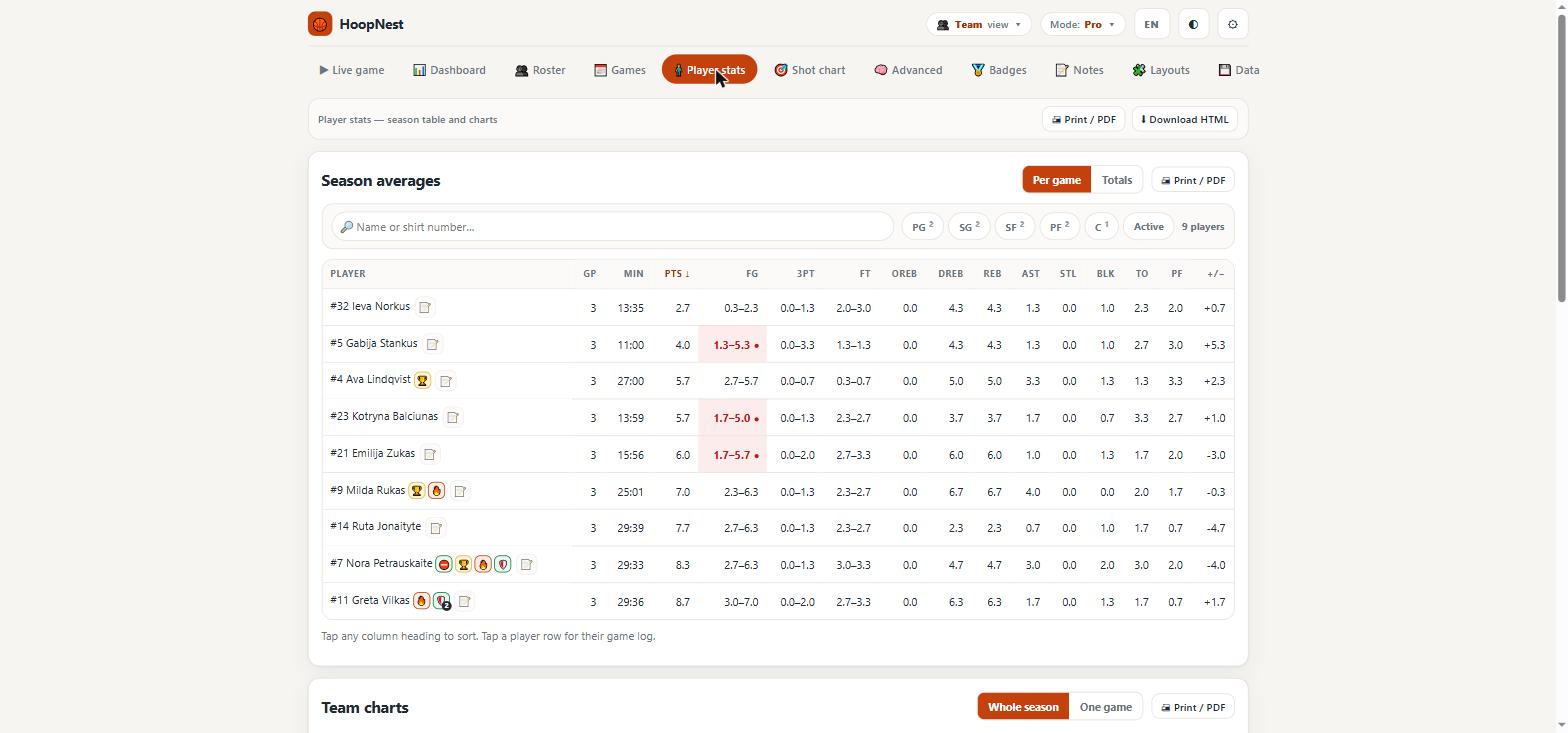
Player stats
Per-player trends across the season, not just a single game snapshot.
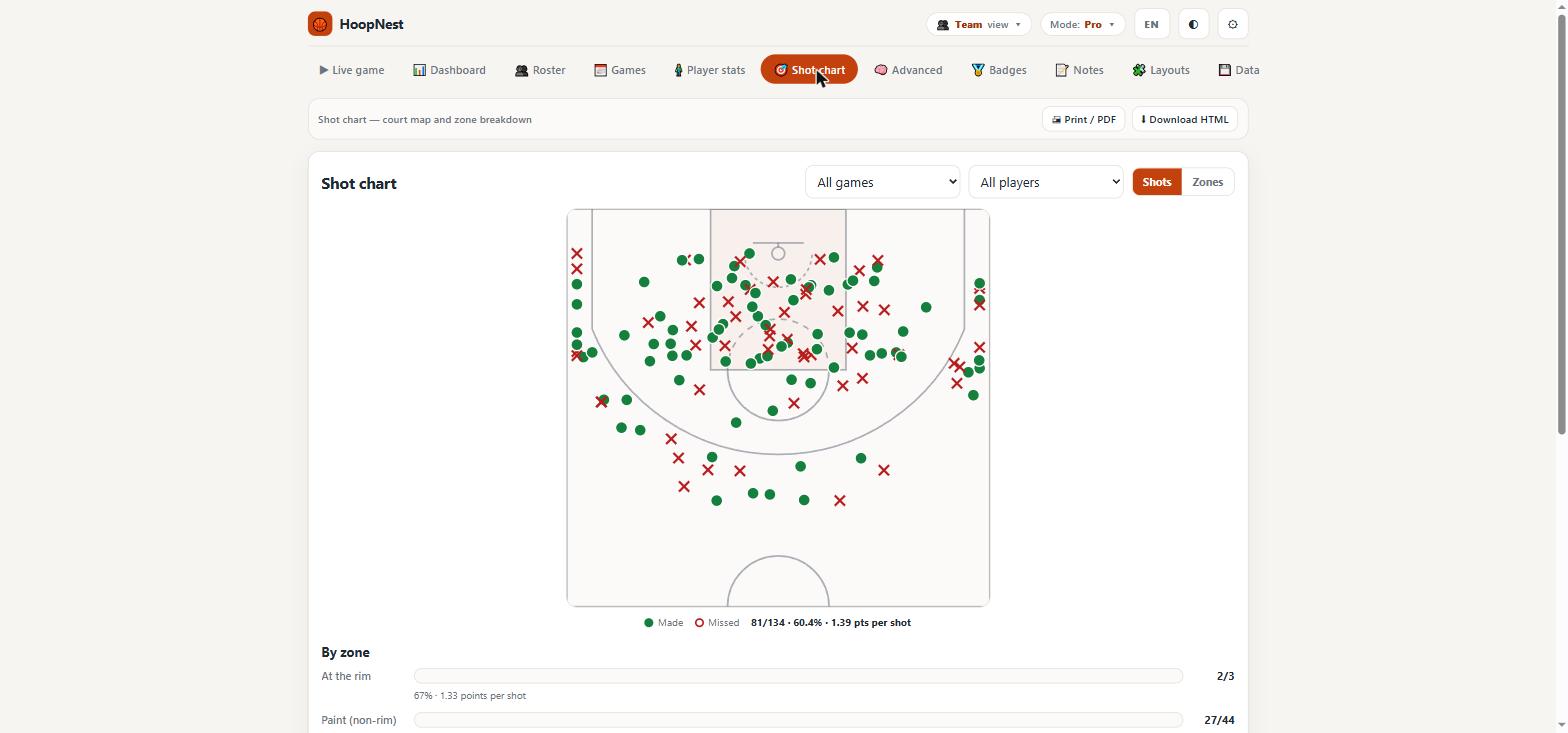
Shot chart
Tap where a shot was taken on the court — makes and misses plotted so patterns actually show up.
Advanced analytics
Four Factors, usage rate and offensive rating — the same formulas coaches use, explained in plain language.
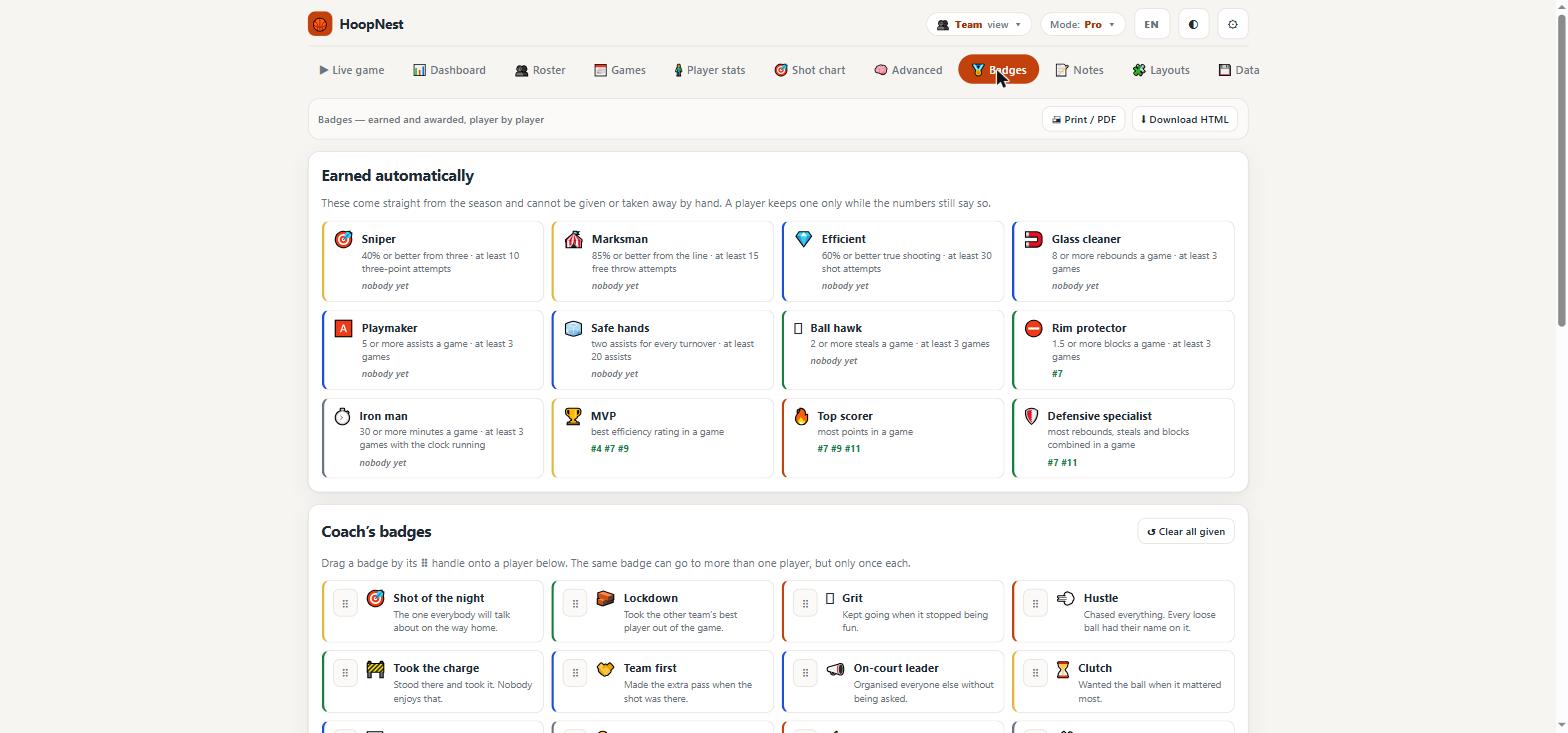
Badges
Automatic recognition for streaks and milestones, tracked across the whole season.
Notes & Layouts
Coach notes per game, plus custom stat-column layouts for however your team likes to read a box score.
Data, your way
Full CSV and JSON export for season stats, games, play-by-play and shots — the data is always yours.
How it works
- Open the free trial, or download it and keep it on your phone — up to 5 games, every screen included.
- Buy for $4.95 and download the full version — instantly, no account needed.
- Coaching? Add your roster and tip off. Watching your own child? Pick one-player mode, type the opponent, and start tapping.
- Read the box score, shot chart, and season trends whenever you want — all stored on your device.
One thing worth knowing: the app saves into whichever copy you are using. Games recorded in the version you opened here stay here, and games recorded in a downloaded copy stay in that file. Moving between the two is one click — Data → Export backup, thenImport backup in the other.
Ready to try it?
Start with the free trial, or buy the full version straight away.
Questions before buying? Get in touch — or see the FAQ.
Use HoopNest as a complete toolkit
The app keeps the live working record. The matching planner gives you printable worksheets. The guides explain the workflow in more depth.
Game evidence becomes team and player development decisions.
Open matching planner →Primary guideHoopNest Guide: Turn Live Basketball Stats Into a Useful Season RecordA practical guide to live basketball tracking, shot charts, player profiles, lineup review and season-level context using HoopNest.
Read guide →