MoveNest — Moving & Box Inventory Manager
A move gets messy when the box list lives in one note, the utility checklist in another, the mover details in email and nobody remembers which room BOX-017 belongs in. MoveNest keeps the practical working record together from the first packed box through the last unpacked room.
Only need to label and find boxes?
The free Moving Box Inventory & Label Maker already covers box numbers, contents, destination rooms, printable labels and packed-to-unpacked status. If that is the whole problem, use it for free.
Use MoveNest when boxes are only one part of the job.
MoveNest adds move setup, important-item tracking, dated tasks by phase, movers and access contacts, estimate-versus-actual costs, a move-day view, Trash, several clean reports and a full JSON workspace backup.
Read: moving app vs spreadsheet →Know what is packed, where it goes, and what still has to happen
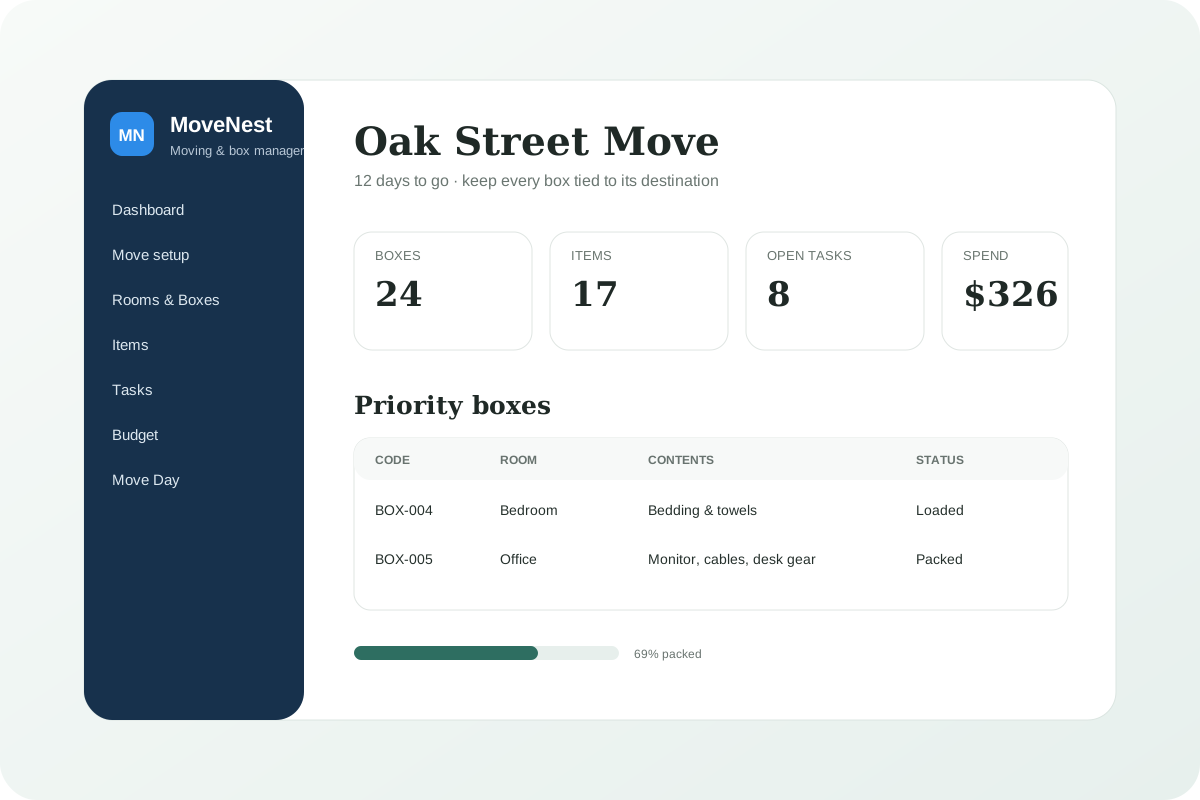
MoveNest is deliberately narrower than a home inventory app. It does not try to value everything you own for insurance. It focuses on the move itself: box codes, destination rooms, contents summaries, essential items, deadlines, contacts, expenses and the move-day handoff.
Rooms & box codes
Create destination rooms, give each box a clear code and keep its contents summary and move status attached to the same record.
Box status from packing to unpacking
Move boxes through Open, Packed, Loaded, Delivered and Unpacked so the dashboard shows where the move actually stands.
Important-item tracking
Track fragile, essential or easy-to-lose items separately and attach them to a box or destination room without turning the app into a full home-insurance inventory.
Move tasks by phase
Keep utilities, address changes, bookings, handovers and follow-ups grouped into Before move, Move week, Move day and After move.
Mover and access contacts
Keep moving-company, storage, landlord, building, utility and cleaning contacts beside the move instead of scattered across messages.
Estimate vs actual budget
Record expected and actual costs for movers, transport, supplies, storage, cleaning, travel and other move-related expenses.
Move Day view
See the compact checklist, box-status counts, priority boxes and essential items without opening every planning screen.
Clean manifests and CSV
Print a box manifest, item manifest, task list or moving budget and export the working tables as CSV.
Trash, recovery snapshots and backups
Deleted records go to Trash first, permanent erase requires typed confirmation, and JSON backup/restore protects the whole workspace.
Reversible sample data
Try a realistic sample move and return to the exact workspace that existed before sample mode was loaded.
How it works
- Create the move and enter the moving date, origin, destination and access notes.
- Add destination rooms and start labeling boxes with codes such as BOX-001.
- Flag only the items that deserve individual tracking — essentials, fragile pieces or things you cannot afford to lose in the move.
- Add utilities, address changes, bookings and handover tasks with dates and phases.
- Use Move Day for the compact checklist, priority boxes and current box-status count.
- Print a clean manifest or export CSV, then keep a JSON backup somewhere separate from the working browser profile.
Local-first, with the trade-off explained clearly
MoveNest runs from the HTML file you download and keeps the working database in the browser profile on that device. There is no required GentleTools account and no required monthly cloud service. That also means GentleTools is not holding a recovery copy of your moving records. If you clear the browser data or lose the device, local records can be lost, so the app includes a full JSON backup and restore workflow.
Ready to organize the whole move?
One-time purchase. No required subscription.
Get MoveNest for 7.49 →Browse home, family & travel apps →
Questions before buying? Get in touch — or see the FAQ for refunds and delivery.