PoolNest — the weekly route, the readings and the route profit
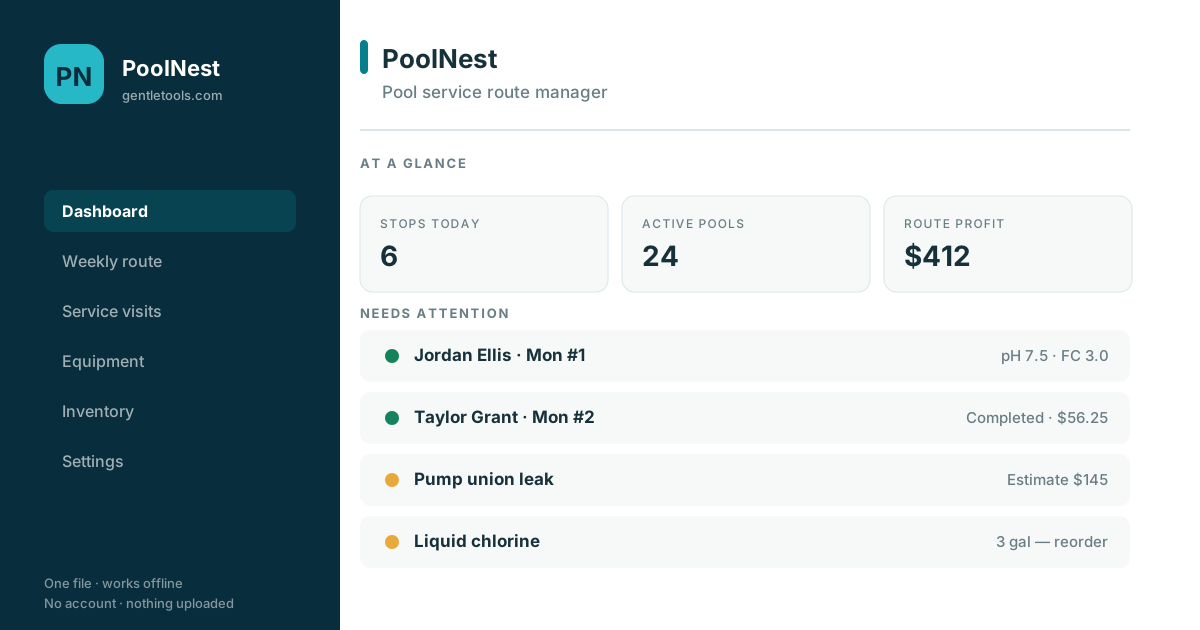
Stops in service-day order, what you observed at each pool, what you actually added, the equipment you are watching, and what the route earned after chemicals, labor and mileage. One HTML file, no account, no monthly fee.
Why it's different
This is a recordkeeping tool, and it says so plainly: it stores the readings you took and the products you added, and it does not calculate doses, certify water safety or replace product labels and local rules. What it does do is make the route legible — which stop is next, which pool has equipment you flagged last month, which repair estimate is still unanswered, and whether the route is actually profitable once chemicals and drive time come off.
The route in service-day order
Every active customer sits on a weekday with a stop number, frequency and monthly rate. Gate codes and access notes travel with the stop, so a new hand can run the route.
Visits with the readings you observed
pH, free chlorine, alkalinity, cyanuric acid, salt and water temperature recorded as you found them, next to the work completed and the products you actually added. No dosing advice, by design.
Equipment you are keeping an eye on
Pumps, filters, heaters, salt systems and cleaners with brand, model, install date and a condition flag. Anything not marked Good surfaces on the dashboard.
Repairs from reported to collected
A leak noticed on Monday becomes an estimate, then approved work, then a completed job with a margin — instead of a note that disappears.
Chemical inventory with reorder points
Liquid chlorine, acid, cartridges — quantity on hand against a reorder point, inventory value, and a low-stock flag before the route rather than during it.
Route profit, not just collections
Chemical cost, labor hours and mileage come off what you collected per visit, so a $56 stop that took 48 minutes and eight miles shows its real number.
Print or download any screen
Every screen exports as a print-ready page or a standalone HTML file, and visits, customers and work orders export to CSV.
Nothing leaves your device
One HTML file, no account, no server. Works at a gate with no signal, and exports a JSON backup whenever you want one.
How it works
- Buy and download instantly — no account needed.
- Open the file in any browser, on the phone on the route or the computer at home.
- Set your hourly labor cost, cost per mile and default visit length once, in Settings.
- Add your route customers with their service day and stop number — or turn on sample data to look around first.
- Export a JSON backup now and then, and CSV whenever you need the numbers elsewhere.
Price the route before you buy the route software.
Use the free Pool Service Pricing Calculator when the immediate question is whether one recurring account pays. Read Pool Service: Route App vs CRM vs Spreadsheet when you are choosing the software model. The broader offline business software collection is there if you want to compare other focused workflows first.
Ready to try it?
One-time purchase, yours to keep. Turn on sample data first if you want to see a full route before entering your own.
Buy for $7.49 (50% off) →Questions before buying? Get in touch — or see the FAQ. You can also browse the software decision guides.