Capture the client
Keep contact details, company context and notes with the work instead of searching old email threads.
Search free tools, fitness, offline apps, planners, and practical guides.
↑↓ browse Enter open Esc close
Keep every client, project, proposal, contract, invoice, tracked hour and expense in one private local-first workspace. One file, no account, no required monthly fee.
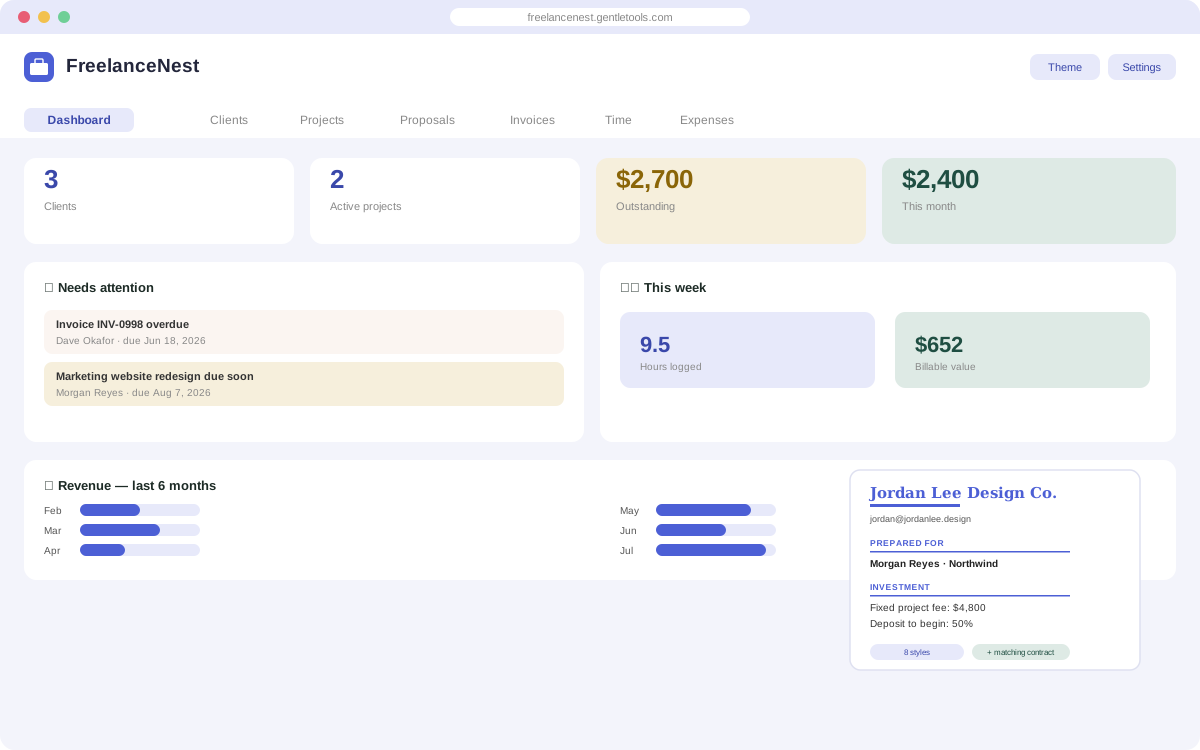
A freelancer usually does not have one software problem. A lead becomes a proposal, the accepted scope becomes a project, the project creates hours and expenses, and the finished work becomes an invoice. FreelanceNest keeps those records connected instead of spreading them across a project board, document template, timer and payment spreadsheet.
Many freelance platforms use recurring subscriptions and cloud accounts. FreelanceNest takes the opposite approach: the working app is a file you keep, the core workflow runs in your browser, and the client and financial records you enter stay on the device where you use it.
Outstanding invoices, this month's revenue, what needs attention, and a 6-month revenue trend — your whole business at a glance.
Every client's contact info, company, and notes in one place — linked automatically to their projects, proposals, and invoices.
A drag-and-drop board from Active to Archived, with fixed or hourly budgets and due dates.
Build a proposal in any of 8 professional styles, and get a service agreement generated from the same scope, timeline, and pricing — automatically.
Line-item invoices with automatic overdue tracking, one-click "mark as paid," and print-ready PDF export.
Log billable hours per project and see their dollar value — plus a weekly summary of hours and billable revenue.
Track costs by category and flag which ones should be rebilled to a client.
Indigo Ink, Warm Clay, and Charcoal Mono — pick the look that fits you.
Keep contact details, company context and notes with the work instead of searching old email threads.
Build a proposal and matching service agreement from the same pricing, deliverables and timeline.
Track status, budget, hours, due dates and expenses while the work is active.
See what is sent, overdue or paid, then compare revenue with the time and costs the project actually consumed.
Use a focused free tool for one immediate problem. If clients, projects and follow-ups are becoming the problem, compare software models before buying.
No for the core app. FreelanceNest is a downloaded HTML file that opens in a modern browser and keeps its working data on your device.
No. It is sold as a one-time purchase rather than a required monthly subscription.
It combines clients, projects, proposals, matching service agreements, invoices and payments, time tracking, expenses and a dashboard in one local-first workspace.
It is designed for solo freelancers and independent professionals such as designers, developers, consultants, writers, marketers and other client-service businesses that need a straightforward project-to-payment workflow.
Core working data is stored by the browser on the device where you use the app. You should keep your own backup copies because local storage is under your control.
One-time purchase, yours to keep. Includes the app and free updates.
Buy FreelanceNest for $7.49 →Want just the proposal + contract piece? See the Proposal & Contract Bankfor $2.49. Just tracking payments? The free Invoice Tracker is a lighter start. Questions before buying? Get in touch — or see theFAQ for refunds and delivery.