HomeNest — Home Inventory & Insurance Records
A home inventory is easier to maintain when the photos, serial numbers, purchase details, warranties and policy-reference figures live together. HomeNest keeps the information you enter in one local file and lets you compare your inventory totals with limits or sublimits you copy from your own policy — without pretending that comparison decides coverage.
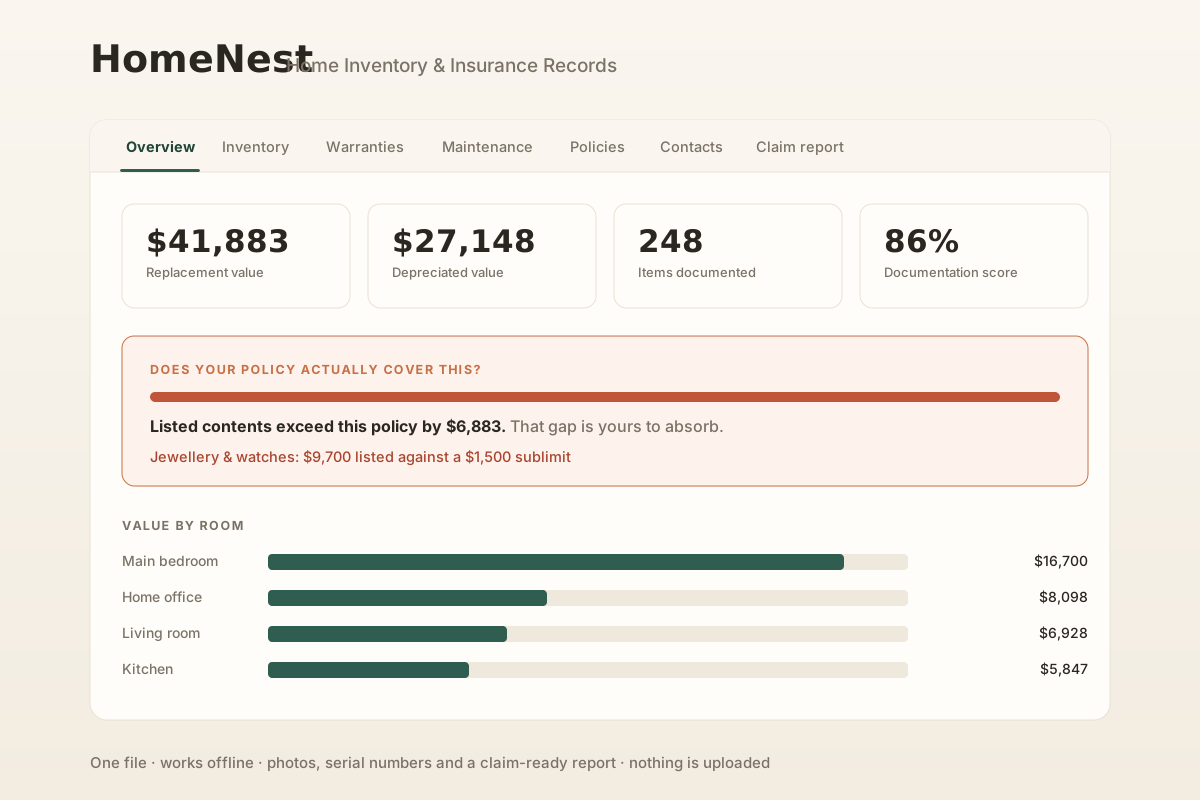
Put the inventory and the policy references in the same view
Your inventory total and the limits written in an insurance policy are different kinds of information. HomeNest lets you enter both so you can compare them and see where you may want to read the policy more closely or ask your insurer a question. If your policy lists a category-specific limit for jewelry, art, cash or another class of property, enter the figure from that document rather than relying on a generic assumption. Policy wording, endorsements, deductibles, exclusions and claim facts remain outside the app.
Room-by-room inventory
Photos, brand, model, serial number, purchase date and value for the items you choose to record — organized by room in one local file.
Policy-limit reference
Copy a contents limit from your own policy and compare it with the inventory total you entered. The comparison is a planning reference, not a coverage decision.
User-entered sublimit references
If your policy lists category-specific limits, enter those figures yourself and compare them with the category values in your inventory.
Replacement vs depreciated value
Keep replacement-value and depreciated-value estimates side by side as reference figures; the policy and insurer determine the settlement basis for an actual claim.
Documentation checklist
A running list of what is still missing — items with no photo, serial number or receipt reference — so you can decide what to document next.
Warranty tracking
Manufacturer and extended warranties with expiry dates and claim contacts, plus reminders before entered dates arrive.
Maintenance log
Keep seasonal upkeep and dated service records with the same home file instead of scattering them across email, paper and notes.
Printable inventory report
Pick rooms, filter items and print a summary with your entered totals, serial numbers and photo thumbnails. An insurer may still require its own forms or evidence.
Backup you can hand to family
One export with the inventory data you entered, including a plain-English note for whoever keeps a backup copy for you.
How it works
- Buy and download instantly — no account needed.
- Open the single HTML file in any browser (Chrome, Edge, Firefox, Safari).
- Load the sample home to see it filled in, then clear it and start with your own most valuable room.
- Optionally copy contents limits or category-specific limits from your own policy and compare them with the totals you entered.
- Export a backup and keep a copy somewhere separate from the primary device and home.
About your data — the honest version
Everything lives in your own browser on your own device. Nothing is uploaded, because there is no server to upload it to. That is the point: no required account holding your possessions list and no subscription needed to keep the local working record.
The trade is that nobody else is holding a copy for you either. Clearing your browsing data erases it, and so does losing the device. HomeNest therefore keeps asking you to export a backup, tells you how long it has been, and makes that backup a single file you can keep on a separate device or with someone you trust. If the inventory matters, test the backup process before you ever need to rely on it.
Ready to build the inventory?
One-time purchase, yours to keep. Includes the app and free updates.
Buy for $4.99 (50% off) →Browse home, family & travel apps →
Prefer to start free? Use the Home Inventory for Insuranceand read the home inventory guide before choosing a larger record system.
Questions before buying? Get in touch — or see theFAQ for refunds and delivery.
HomeNest is a record-keeping tool, not an insurance product or an insurance adviser. Its comparisons are based only on figures you enter; your policy wording, endorsements, limits, sublimits, deductible, exclusions, claim facts and insurer decisions are what govern an actual claim. Verify anything important against your current policy and insurer requirements.