Migraine Tracker
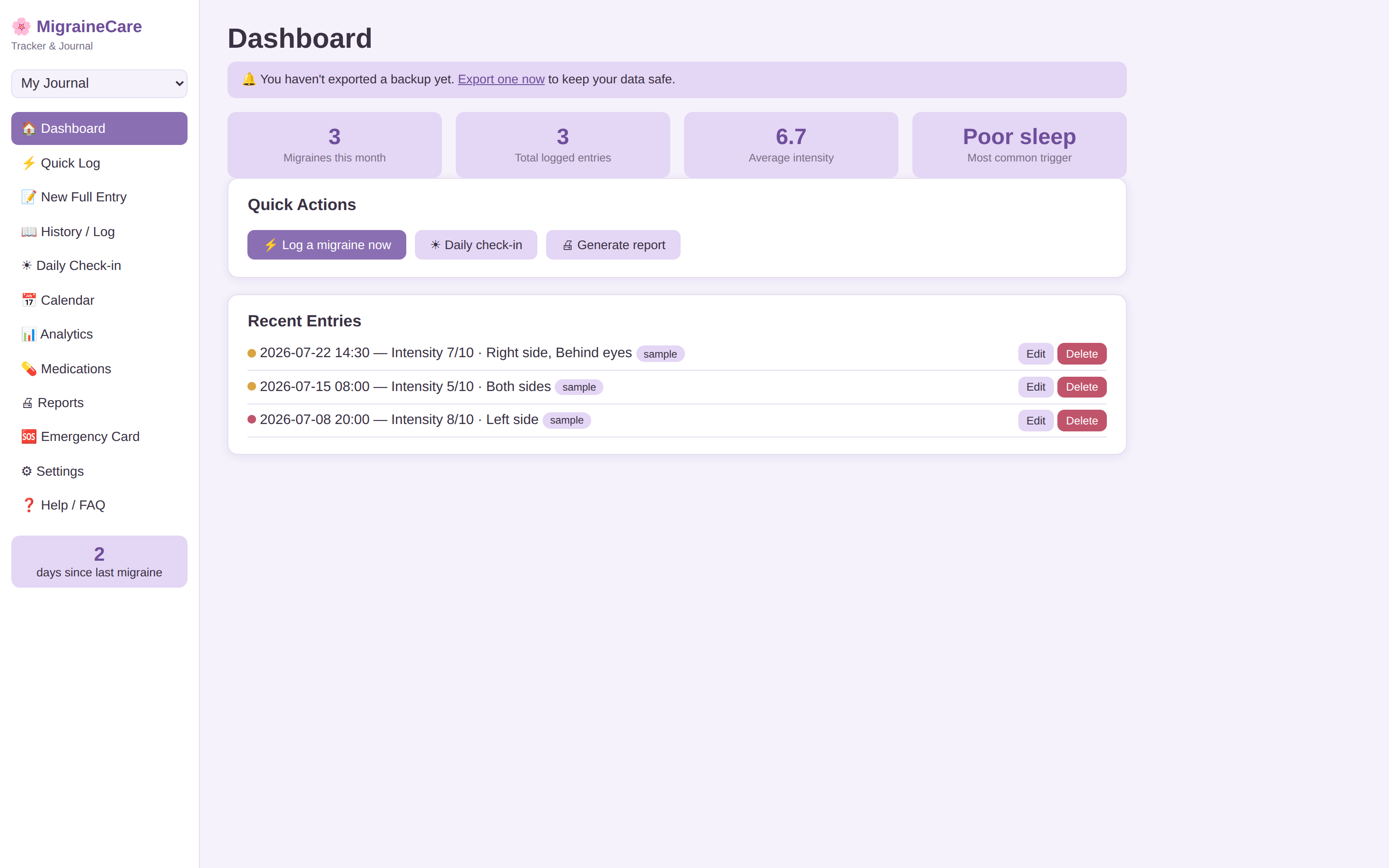
Explore the real app interface in a free browser preview. Buy only when you're ready to keep your full offline HTML file. No subscription.
A calm place to keep migraine episodes, symptoms and daily context in one history — one file, no required account, no subscription. The charts help you review patterns in what you entered; they do not identify a medical cause or tell you what treatment to use.
Why keep the record locally?
Migraine history can include sensitive health information. Migraine Tracker keeps the working record in a single browser-based file on your own device instead of requiring a GentleTools health account. That local-first model also means you are responsible for keeping your own backup; there is no automatic GentleTools cloud recovery if the device or browser data is lost.
Quick Log
Record an episode in seconds — pain level, duration, symptoms and possible factors you choose to note, with minimal typing when you are not feeling well.
Full Entry
Keep a more detailed record of symptoms, medications you report taking, user-entered relief and notes you may want to review at an appointment.
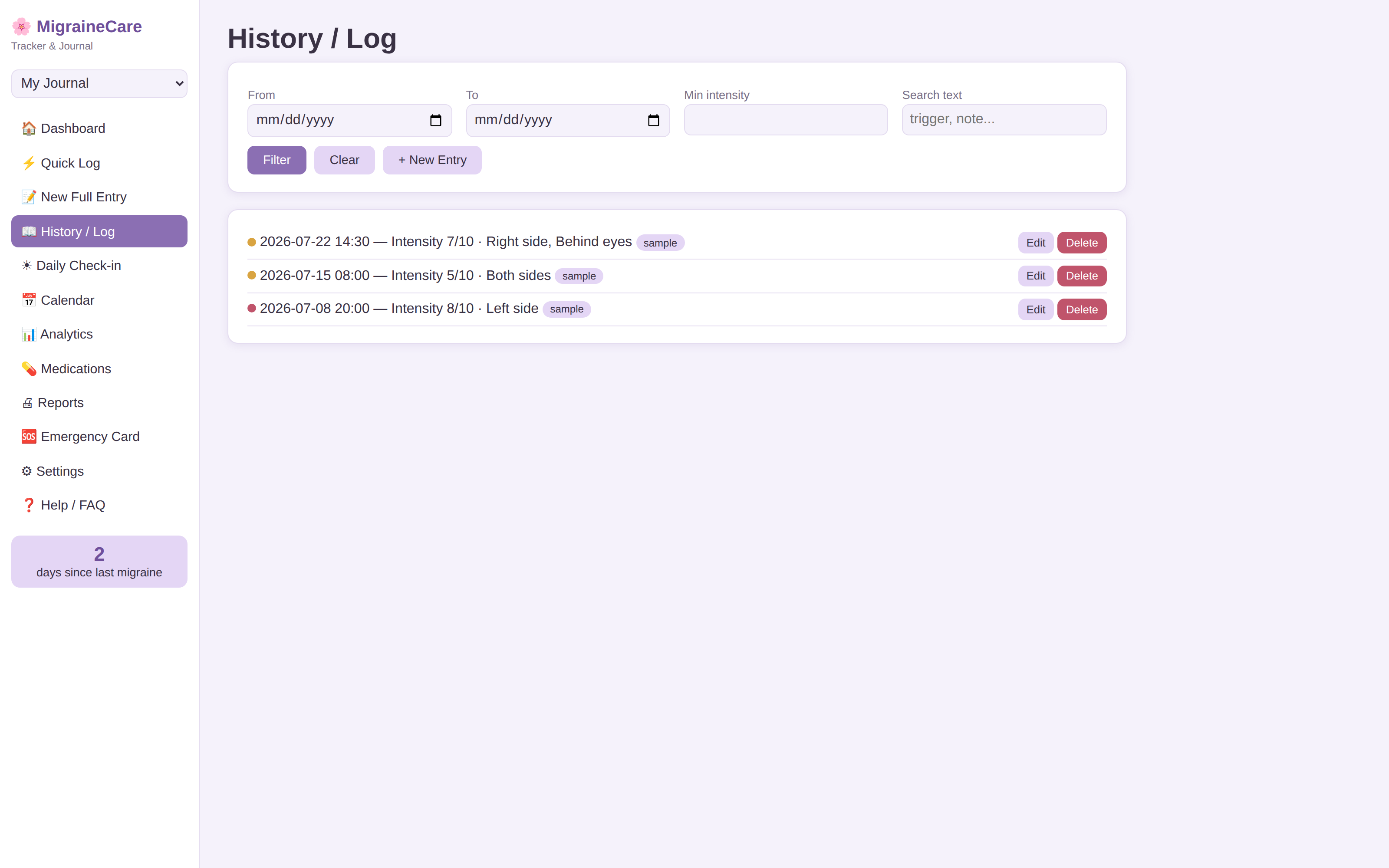
History
A searchable timeline of the episodes and observations you entered over time.
Daily Check-in
Record sleep, stress, weather and other daily context you want to compare with episode dates later.
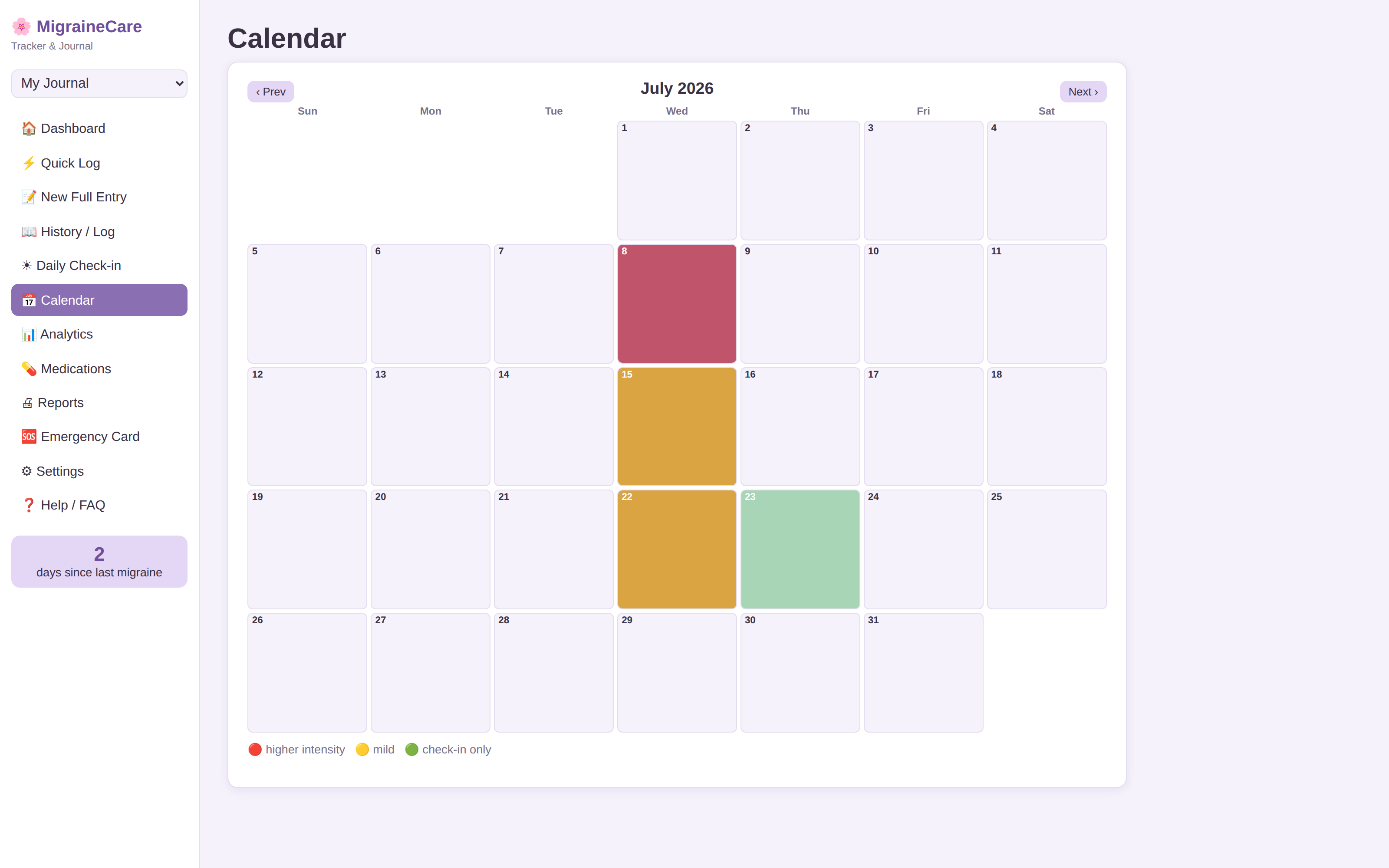
Calendar
A month view of logged migraine days that makes frequency and timing easier to review.
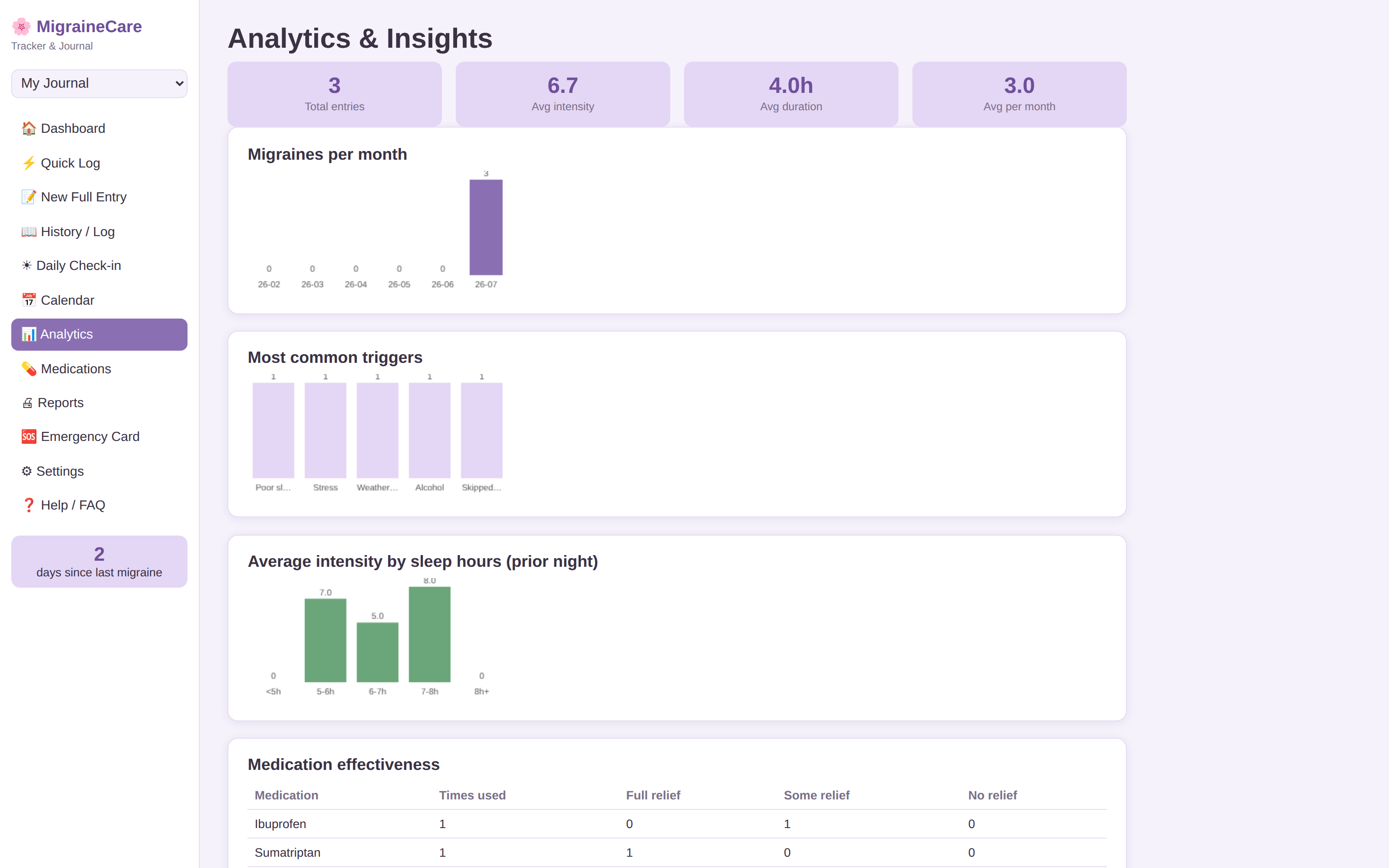
Pattern dashboard
Charts summarize user-entered frequency, duration, possible factors and pain-level trends without claiming that a factor caused an episode.
Medication record
Record what you report taking, dosage notes and your own relief observations. The app does not recommend medication or judge effectiveness.
Appointment summary
Generate a readable summary of the history you entered to bring to a clinician if useful.
Emergency reference
Keep user-entered emergency contacts and care-plan notes available as a reference. The app is not an emergency or clinical service.
Patterns are observations, not causes
If episodes often appear near a factor you logged — sleep change, stress, weather, food, a schedule change or something else — the app can show that co-occurrence in your own data. It cannot determine that the factor caused the migraine, rule out other explanations or diagnose a condition. Use the history as a record you can review yourself or discuss with a qualified clinician.
How it works
- Buy and download instantly — no account needed.
- Open the included HTML file in a modern browser.
- Start with sample data or clear it and enter your own episode history.
- Export a backup regularly and keep an independent copy in storage you control.
Need the larger migraine record?
One-time purchase, yours to keep. Includes the app and free updates.
Buy for $4.95 →Prefer to start free? Use the Migraine Trigger Checklistand read the Migraine Trigger Pattern Guide before moving to a larger record.
Questions before buying? Get in touch — or see theFAQ for refunds and delivery.
Migraine Tracker is a personal recordkeeping tool. It does not diagnose migraine or another condition, identify a medical cause, recommend or evaluate medication, provide treatment advice, triage urgent symptoms or replace a clinician or emergency service. Seek appropriate medical or emergency care for symptoms that need professional attention.
Use Migraine Tracker as a complete toolkit
The app keeps the live working record. The matching planner gives you printable worksheets. The guides explain the workflow in more depth.
Fast episode capture, calm pattern review and better appointment preparation.
Open matching planner →Primary guideMigraine Diaries: How to Track Possible Triggers Without Overreading the PatternA practical guide to logging sleep, meals, hydration, stress, environment and other possible migraine-related factors without treating a diary association as proof of cause.
Read guide →Related guideClarity: What a Migraine Journal Needs to Actually Find Your TriggersMost migraine trackers only log the pain. Clarity tracks the 48 hours before it too — sleep, food, weather, and hormones — which is where triggers actually hide.
Read guide →Try a simpler free starting point
Not ready for the full app? These separate free mini studios help you try a specific record or decision workflow.